
Paparan interaktif telah menjadi alat penting dalam bilik darjah moden. Mereka tidak lagi skrin mudah-mereka adalah hab pengajaran yang meningkatkan kerjasama, meningkatkan penglibatan, dan menyelaraskan penghantaran pelajaran. Memilih paparan interaktif yang betul bukan hanya keputusan pembelian; Ia adalah pelaburan pendidikan jangka panjang.
Di seluruh pasaran pendidikan, paparan interaktif Qtenboard dan jenama arus perdana lain biasanya dibandingkan. Tetapi prestasi kelas sebenar mendedahkan perbezaan yang signifikan.
Artikel ini membandingkan lima ciri yang paling penting untuk pengajaran:
Semua perbandingan adalah berdasarkan ciri-ciri yang disediakan tanpa langganan tambahan, memastikan sekolah menerima penilaian yang adil dan realistik.
Untuk menjadikan teknologi benar-benar berguna, sambungan peranti mestilah mudah dan boleh dipercayai.
Qtenboard termasuk sistem kerjasama wayarles terbina dalam yang membolehkan:
Kebanyakan jenama lain memerlukan:
Ini melambatkan pelajaran dan meningkatkan kesukaran latihan.
Catatan adalah salah satu ciri yang paling kerap digunakan dalam bilik darjah.
Qtenboard menyokong teknologi pen Windows/Mac maju:
Pengalaman menulis terasa semula jadi dan tidak terganggu.
Kebanyakan jenama bersaing menggunakan penjelasan overlay:
Guru mesti mengulangi tindakan yang sama secara berterusan.
Kerjasama adalah sebahagian teras aktiviti bilik darjah moden.
Qtenboard menyokong sentuhan 40 mata, membolehkan:
Ideal untuk kerja kumpulan, aktiviti STEM, dan permainan interaktif.
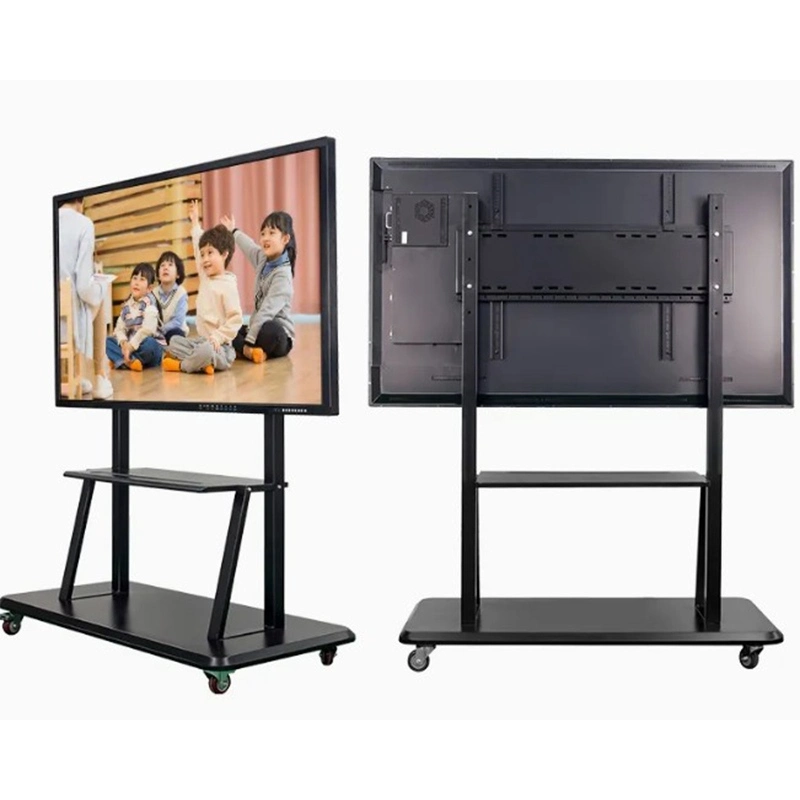
| Jenama | |
|---|---|
| Qtenboard | |
| Saiz | |
| 55'' / 65'' / 75'' / 86'' / 98'' / 105'' / 110'' | |
| Model | |
| QM-55HY / QM-65HY / QM-75HY / QM-86HY / QM-98HY / QM-105HY / QM-110HY | |
| Spesifikasi LCD | |
| Resolusi | Resolusi 3840*2160 4K |
| Kecerahan | 350cd/m² / 400cd/m² / 450cd/m² |
| Nisbah kontras | 4000:1 (jenis.) |
| Kedalaman warna | 16.7M(8bit) |
| Sudut Visual | 178 °(H) / 178 °(V) |
| Kehidupan LCD | 60,000 jam (jenis.) |
| Spesifikasi Android | |
| CPU | 9679 / 3576 / 311D2 / V100 / 3588 |
| OS Android | Android 14.0 |
| RAM ROM | 4 32G / 8 128G / 16 256G (pilihan) |
| WIFI | 2.4G & 5G |
| Bluetooth | 5.2 |
| Kunci kanak-kanak | Sokongan |
| Unjuran tanpa wayar | Sokongan |
| Spesifikasi skrin sentuh | |
| Jenis sentuh | Sentuhan inframerah sifar jurang ikatan |
| Titik sentuh | 20-50 titik |
| Sentuh ketinggian | 1mm |
| Kamera | |
| Kamera terbina dalam dan mikrofon | 4800MP pilihan (8 Array Mic) |
| Kuasa | |
| Pembesar suara | 20W * 2 |
| Kuasa siap sedia | ≤ 0.5W |
| Bekalan kuasa | AC100V-240V,50-60Hz |
| Persekitaran kerja | |
| Tempurature kerja | 0℃ ~40℃ |
| Kelembapan kerja | 20% ~ 85% (tiada pemeluwapan) |
| Tempurature menyimpan | -10℃ ~ 60℃ |
| Kelembapan penyimpanan | 10% ~ 60% (tiada pemeluwapan) |
| Antara muka Input/output | |
| Jenis-B 2.0, jenis-C, HDMI in, HDMI out, USB, USB-B, DP, VGA, kad TF, MIC, RJ45 in, RJ45 out, RS232 in (pilihan) | |
Direka khusus untuk bilik darjah sebenar:
Semuanya berfungsi dari kotak.
Kebanyakan menawarkan hanya fungsi asas seperti:
Alat-alat pengajaran yang dinaik taraf biasanya memerlukan akses langganan.
Banyak jenama mendakwa "sistem Android," tetapi kebolehgunaan sebenar sangat berbeza.
Sokongan Qtenboard:
Kerana pensijilan EDLA CPU yang kuat, prestasi aplikasi adalah lancar dan stabil.
Merentasi semua senario pengajaran utama, Qtenboard menawarkan penyelesaian yang paling lengkap, mesra guru, dan masa depan:
Qtenboard adalah lebih daripada paparan interaktif-ia adalah rakan kongsi jangka panjang untuk pembelajaran digital moden.
Klik untuk membaca butiran produk dan belajar tentang ciri-ciri fungsinya dan prestasi sebenar.
📖Baca produk
 MAY
MAY
 EN
EN  TH
TH  CHT
CHT  ID
ID  BUR
BUR  FIL
FIL  HKM
HKM  LAO
LAO  SIN
SIN  VIE
VIE