
Pernahkah anda berada di tengah-tengah persembahan bilik darjah apabila pelajar di belakang tiba-tiba berhenti terlibat-bukan kerana topik itu membosankan, tetapi kerana mereka hanya tidak dapat melihat butiran pada skrin?
Ini adalah salah satu cabaran yang paling biasa yang dihadapi oleh guru di bilik darjah moden. Apabila kandungan pelajaran menjadi lebih visual, lebih terperinci, dan lebih digital, papan putih elektronik mesti melakukan lebih daripada sekadar memaparkan maklumat. Mereka mesti membantu guru membimbing perhatian, mendedahkan terperinci, dan mengawal tumpuan visual dalam masa nyata.
Itulah di mana fungsi zum pada papan putih elektronik menjadi penting.
Dengan papan putih elektronik Qtenboard, zoom bukanlah ciri sekunder. Ia adalah interaksi teras yang direka untuk menyokong persembahan kelas, pembelajaran kolaboratif, dan persekitaran pengajaran hibrid. Dari gerak isyarat pinch-to-zoom ke navigasi skrin perpecahan, papan putih elektronik Qtenboard membolehkan pendidik bergerak dengan lancar antara penjelasan besar-gambar dan analisis terperinci halus-tanpa mengganggu aliran pengajaran.
Dalam panduan ini, kami akan meneroka cara menggunakan papan putih elektronik dengan berkesan untuk zoom, mengapa ia penting untuk persembahan kelas, dan bagaimana papan putih elektronik Qtenboard membuat zoom intuitif, tepat, dan semulajadi untuk guru dan pelajar.
Papan putih elektronik moden dibina pada teknologi multi-touch maju, yang membolehkan pelbagai titik interaksi serentak. Yayasan perkakasan ini menjadikan gerak isyarat zum intuitif mungkin merentasi aplikasi, dokumen, dan media.
Sama seperti telefon pintar dan tablet, papan putih elektronik bergantung pada isyarat secubit sejagat:
Pada papan putih elektronik Qtenboard, isyarat ini sangat responsif dan dioptimumkan untuk paparan format besar. Walaupun beberapa pengguna berinteraksi pada masa yang sama, tindakan zum tetap lancar dan tepat.
Kebiasaan ini mengurangkan keluk pembelajaran untuk guru. Tidak perlu menu rumit atau bar alat-zoom pada papan putih elektronik menjadi sifat kedua.

Bilik darjah tidak persekitaran yang rata. Pelajar duduk pada jarak yang berbeza, sudut, dan ketinggian. Apabila teks kecil, rajah, atau formula muncul di papan putih elektronik, zoom memastikan setiap pelajar mempunyai akses yang sama kepada maklumat.
Dengan papan putih elektronik Qtenboard, guru dengan serta-merta boleh zum ke dalam kandungan kritikal tanpa menghentikan pelajaran atau peranti pensuisan.
Pengajaran yang berkesan adalah bercerita visual. Zum membolehkan pendidik untuk:
Papan putih elektronik dilengkapi dengan ciri zum responsif menjadikan cecair bercerita ini dan menarik.
Papan putih elektronik Qtenboard mempunyai papan putih digital terbina dalam yang dioptimumkan untuk senario pengajaran.
Tidak seperti papan tradisional, papan putih elektronik Qtenboard menawarkan kanvas tak terhingga. Guru boleh menulis, menarik, dan anotasi bebas tanpa bimbang tentang ruang.
Zoom memainkan peranan penting dalam menguruskan ruang ini:
Ini menjadikan papan putih elektronik Qtenboard sesuai untuk mata pelajaran seperti matematik, fizik, kejuruteraan, dan biologi.
Salah satu kekecewaan terbesar dengan papan putih elektronik adalah lag. Qtenboard menyelesaikan ini dengan teknologi latency ultra rendah, memastikan bahawa zoom dan penulisan berlaku serentak tanpa berlengah-lengah.
Guru boleh zum masuk dan menulis dengan serta-merta-setiap strok muncul tepat di mana dimaksudkan.
Persembahan bilik darjah sering melibatkan dokumen dan bukannya kanvas kosong. Pada papan putih elektronik Qtenboard, zoom dokumen berfungsi dengan lancar di seluruh platform.
Guru boleh:
Ini amat berkesan semasa ulasan esei, membaca latihan kefahaman dan penyuntingan bersama.
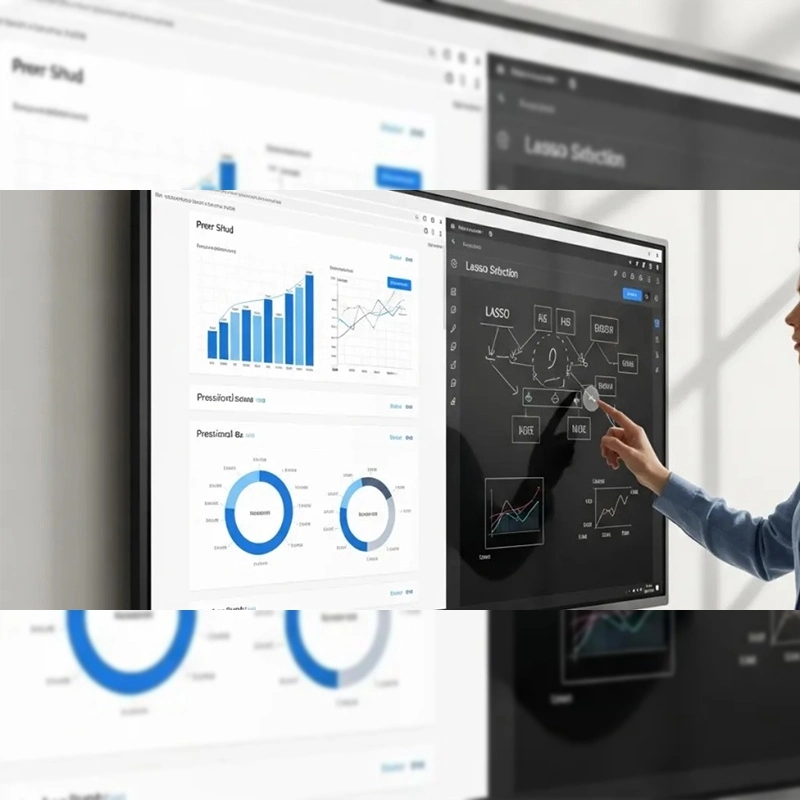
Pdf digunakan secara meluas dalam pendidikan tetapi sering sukar untuk dibaca pada skrin besar. Papan putih elektronik Qtenboard membolehkan guru:
Whiteboards elektronik dengan panel resolusi tinggi memastikan bahawa zoom meningkatkan pembacaan dan bukannya merendah-rendahkan.
Imej resolusi tinggi adalah alat pengajaran yang kuat. Apabila digabungkan dengan zum, papan putih elektronik menjadi mikroskop digital.
Dengan papan putih elektronik Qtenboard, guru boleh:
Pendekatan ini dengan ketara meningkatkan kefahaman dan pengekalan, terutamanya dalam mata pelajaran visual-berat seperti geografi, sejarah dan sains.
Untuk pengalaman pembelajaran yang mendalam, papan putih elektronik Qtenboard menyokong main balik video skrin penuh. Satu paip memperluaskan video untuk mengisi keseluruhan paparan.
Ini sesuai untuk:
Daripada zoom terus ke dalam bingkai video, guru boleh menjeda video dan anotasi di atasnya. Pada papan putih elektronik Qtenboard, penjelasan ini tetap tepat dan jelas walaupun pada tahap zum yang tinggi.
Teknik ini memastikan pelajar memberi tumpuan sambil mengekalkan aliran pelajaran.
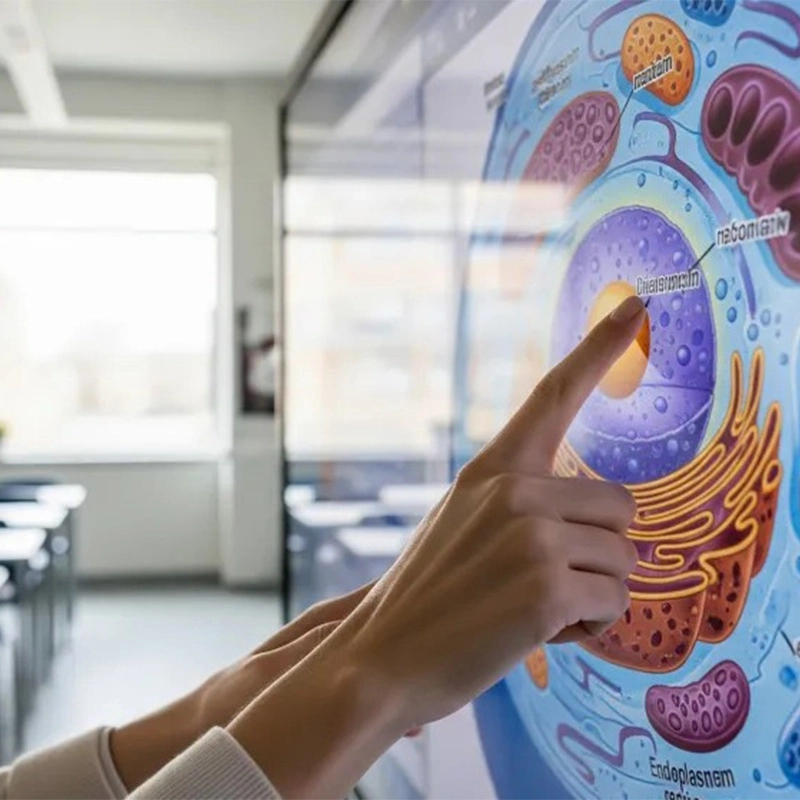
Salah satu ciri menonjol papan putih elektronik Qtenboard adalah multitasking skrin berpecah.
Guru boleh:
Ini membolehkan perbandingan langsung, penjelasan masa nyata, dan perbincangan interaktif-semua tanpa menukar windows.
Skrin perpecahan zoom adalah amat berharga untuk penyelesaian masalah, pembelajaran bahasa dan analisis data.
Papan putih elektronik Qtenboard menyokong interaksi pelbagai sentuhan dan berbilang pengguna. Ini bermakna:
Dalam bilik darjah hibrid, tindakan zum pada papan putih elektronik juga boleh dicerminkan kepada peserta jauh, memastikan semua orang melihat butiran yang sama.
Zum harus membimbing perhatian, tidak mengalihkan perhatian dari kandungan. Gunakannya untuk menyerlahkan mata utama, peralihan, dan objektif pembelajaran.
Zoom menjadi jauh lebih kuat apabila dipasangkan dengan menulis, melukis, dan menonjolkan. Papan putih elektronik Qtenboard direka untuk kombinasi ini.
Persembahan kelas terbaik berasa mudah. Mengamalkan gerak isyarat zum pada papan putih elektronik membantu guru mengekalkan keyakinan dan aliran.
Papan putih elektronik Qtenboard direka khusus untuk interaksi fokus pendidikan:
Ciri-ciri ini memastikan bahawa zoom tidak hanya mungkin-tetapi menyeronokkan dan boleh dipercayai.
Zoom pada papan putih elektronik adalah lebih daripada fungsi teknikal. Ia adalah strategi pengajaran yang meningkatkan kejelasan, pertunangan, dan pemahaman.
Dengan papan putih elektronik Qtenboard, guru mendapat kawalan penuh terhadap tumpuan visual. Sama ada zoom ke dalam formula, imej, perenggan, atau bingkai video, Qtenboard membantu pendidik menyampaikan pelajaran yang jelas, interaktif, dan berkesan.
Jika anda ingin meningkatkan persembahan kelas anda, menguasai zoom pada papan putih elektronik-dan memilih platform yang betul seperti Qtenboard-adalah tempat untuk bermula.
Klik untuk membaca butiran produk dan belajar tentang ciri-ciri fungsinya dan prestasi sebenar.
📖Baca produk
 MAY
MAY
 EN
EN  TH
TH  CHT
CHT  ID
ID  BUR
BUR  FIL
FIL  HKM
HKM  LAO
LAO  SIN
SIN  VIE
VIE