
Apabila memilih paparan elektronik, kebanyakan pembeli memberi tumpuan kepada spesifikasi seperti saiz skrin, resolusi, atau teknologi panel. Walaupun faktor-faktor ini tidak dapat dinafikan penting, kecerahan-diukur dalamNits-Sering diremehkan, walaupun ia memainkan peranan penting dalam pengalaman tontonan dunia sebenar.
Jadi bagaimana anda memberitahu nits paparan anda, dan yang lebih penting, bagaimana anda mengoptimumkan kecerahan untuk persekitaran penggunaan sebenar anda? Sama ada anda memilih papan putih interaktif untuk kelas, papan tanda digital untuk runcit, atau paparan komersial untuk bilik persidangan, memahami nits dapat membantu anda membuat keputusan yang lebih tepat.
Artikel ini menerangkan apa yang nits, mengapa mereka penting, bagaimana untuk mengenal pasti mereka, dan bagaimana teknologi moden-seperti pelarasan kecerahan pintar-mengubah cara paparan komersial melakukan dalam persekitaran seharian.
Nit yang merupakan satu unit yang digunakan untuk mengukur kecerahan. Secara teknikalnya, satu nit bersamaan dengan satu candela satu meter persegi (cd/m²), yang mewakili jumlah cahaya yang dikeluarkan dari permukaan paparan.
Secara ringkas, nits memberitahu anda bagaimana terang skrin boleh mendapatkan. Semakin tinggi nilai nit, semakin cerah paparan muncul. Apabila membandingkan dua skrin dengan resolusi dan saiz yang sama, yang mempunyai nits yang lebih tinggi secara amnya akan lebih kelihatan dalam persekitaran yang terang.
Kecerahan menjadi sangat penting untuk paparan komersial seperti papan putih interaktif, paparan pengiklanan, dan papan tanda digital, di mana keadaan pencahayaan tidak selalu dikawal.
Kecerahan secara langsung mempengaruhi penglihatan, keselesaan, dan kebolehgunaan.
Dalam persekitaran dengan cahaya ambien yang kuat-seperti bilik darjah dengan tingkap besar, pusat membeli-belah, lapangan terbang, atau gudang yang menghadap ke luar-memaparkan dengan nits yang tidak mencukupi boleh muncul dibasuh. Kandungan menjadi lebih sukar untuk dibaca, warna kehilangan ketepatan, dan skrin gagal memberikan kesan yang dimaksudkan.
Sebaliknya, paparan yang terlalu terang dalam persekitaran yang lebih gelap boleh menyebabkan ketegangan mata, keletihan visual, dan penggunaan tenaga yang tidak perlu.
Inilah sebabnya mengapa memahami bagaimana untuk memberitahu nits paparan anda bukanlah hanya satu kebimbangan teknikal-ia secara langsung memberi kesan kepada pengalaman pengguna, kecekapan dan kepuasan jangka panjang.
Terdapat beberapa cara yang boleh dipercayai untuk menentukan kecerahan paparan.
Tiada tahap kecerahan "sempurna" tunggal. Nits ideal bergantung kepada senario penggunaan dan pencahayaan alam sekitar.
| Senario permohonan | Tahap Nits yang Ideal |
|---|---|
| Paparan pejabat atau bilik darjah dalaman | 300-500 nits |
| Whiteboards interaktif | 400-500 nits (bergantung kepada saiz dan penggunaan) |
| Papan tanda digital runcit | 500-700 nits atau lebih tinggi |
| Paparan luaran atau tingkap | 1000 nits atau lebih |
Untuk kebanyakan aplikasi komersil dalaman, kecerahan mesti mengimbangi kejelasan dan keselesaan. Inilah sebabnya mengapa paparan profesional direka bentuk secara berbeza dari tv pengguna.
Ya, paparan komersil yang paling moden membolehkan pelarasan kecerahan.
Pengguna boleh menyesuaikan kecerahan secara manual melalui tetapan sistem atau menu pada skrin. Fleksibiliti ini membolehkan paparan untuk menyesuaikan diri dengan persekitaran yang berbeza dan keutamaan pengguna.
Walau bagaimanapun, pelarasan manual sahaja tidak selalu sesuai, terutamanya di ruang di mana keadaan pencahayaan berubah sepanjang hari. Ini adalah di mana teknologi paparan pintar menjadi penting.
Pelarasan kecerahan pintar mewakili evolusi yang ketara dalam teknologi paparan.
Daripada bergantung semata-mata pada tetapan manual, memaparkan dilengkapi dengan kawalan kecerahan pintar menggunakan sensor cahaya terbina dalam dan algoritma pintar untuk mengesan keadaan pencahayaan ambien dalam masa nyata.
Apabila persekitaran sekitar menjadi lebih cerah, paparan secara automatik meningkatkan tahap nits untuk mengekalkan penglihatan. Apabila cahaya ambien berkurangan, skrin mengurangkan kecerahan untuk mengelakkan keletihan mata dan menjimatkan tenaga.
Teknologi ini menawarkan beberapa kelebihan utama:
Untuk persekitaran komersil seperti bilik darjah, bilik persidangan, dan ruang runcit, pelarasan kecerahan pintar memastikan bahawa paparan sentiasa beroperasi pada tahap optimum tanpa campur tangan pengguna yang berterusan.
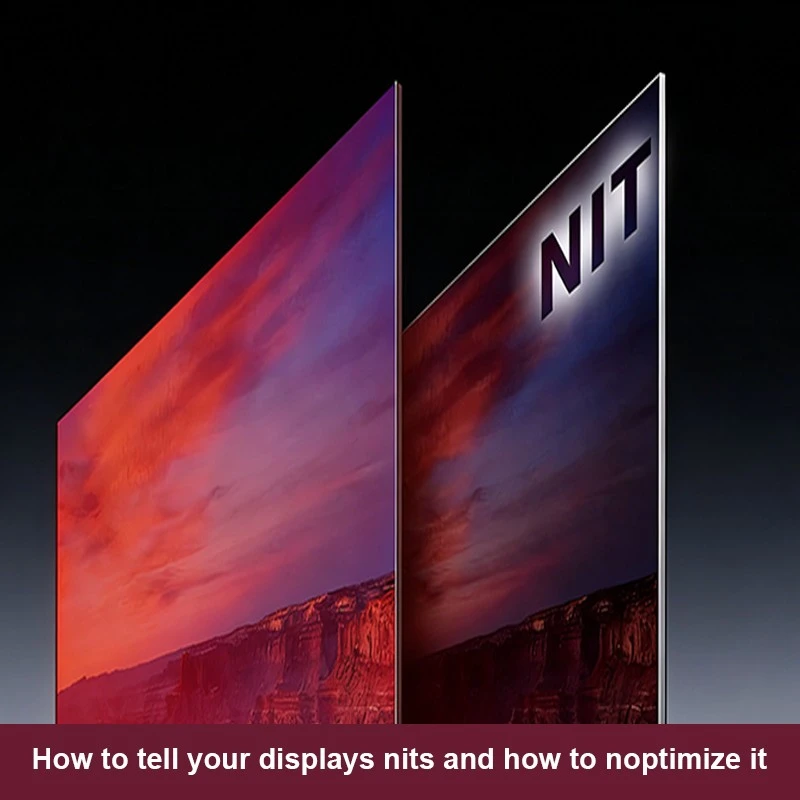
Qtenboard reka bentuk paparan komersial dengan penggunaan dunia sebenar dalam fikiran, menggabungkan tahap kecerahan yang sesuai dengan teknologi kawalan pintar.
Qtenboard menyediakan perundingan profesional untuk membantu pelanggan memilih konfigurasi kecerahan yang paling sesuai untuk keperluan projek tertentu mereka.
Memilih tahap nits yang betul melibatkan lebih daripada memilih nombor tertinggi yang ada. Faktor-faktor seperti persekitaran, tempoh penggunaan, jenis kandungan dan keselesaan pengguna mesti semua dipertimbangkan.
Pembekal profesional seperti Qtenboard membantu pelanggan dengan menilai senario aplikasi sebenar dan bukannya bergantung kepada spesifikasi generik. Pendekatan ini memastikan bahawa memaparkan melaksanakan secara optimum sepanjang tempoh yang panjang.
Jika projek anda memerlukan tahap kecerahan yang disesuaikan-sama ada untuk pendidikan interaktif, kerjasama korporat, atau pengiklanan komersial-Qtenboard boleh memberikan penyelesaian yang disesuaikan berdasarkan keperluan sebenar anda.
Memahami bagaimana untuk memberitahu nits paparan anda adalah langkah kritikal dalam memilih skrin yang betul untuk sebarang aplikasi. Kecerahan tidak hanya mempengaruhi penglihatan tetapi juga keselesaan, kecekapan, dan pengalaman pengguna keseluruhan.
Dengan kemajuan seperti pelarasan kecerahan pintar, paparan moden kini boleh secara automatik menyesuaikan diri dengan persekitaran mereka, memberikan prestasi yang konsisten tanpa kawalan manual yang berterusan.
Qtenboard menggabungkan tahap kecerahan gred profesional dengan teknologi paparan pintar untuk menyokong pelbagai aplikasi komersil. Jika anda merancang projek paparan dan memerlukan panduan pakar mengenai pengoptimuman kecerahan, hubungi Qtenboard untuk mengetahui lebih lanjut mengenai penyelesaian paparan tersuai kami.
Klik untuk membaca butiran produk dan belajar tentang ciri-ciri fungsinya dan prestasi sebenar.
📖Baca produk
 MAY
MAY
 EN
EN  TH
TH  CHT
CHT  ID
ID  BUR
BUR  FIL
FIL  HKM
HKM  LAO
LAO  SIN
SIN  VIE
VIE